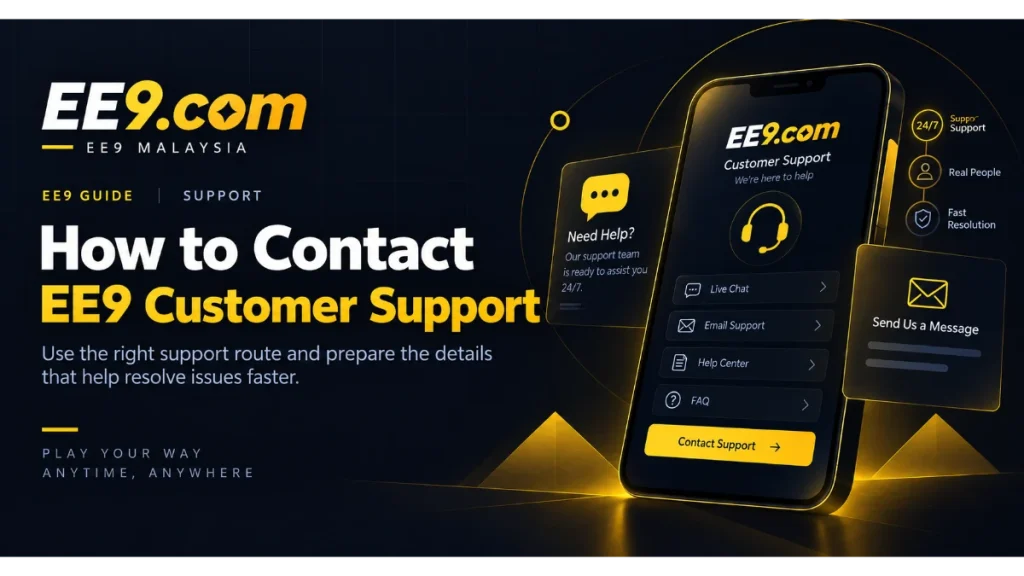
A good support request gives EE9 enough context to understand the problem without giving away information that should remain private. Before opening a conversation, identify the issue, gather a few safe details, and use a contact route reached from the EE9 site. Current channels and operating arrangements may change, so the support page and your account screen are the right places to confirm what is available.
EE9 Malaysia brings account, payment, mobile, and platform information together, while the available support route can be used when additional help is needed.
Find the current EE9 support route
Start at the EE9 support page. Use the option displayed there rather than a phone number, handle, or link copied from an old post. If you are already signed in, the account interface may also present a help entry. Verify that any new page or messaging destination matches the route you intentionally selected.
Be wary of unsolicited messages from people claiming to be support staff. A familiar brand name or profile image can be copied. Do not continue when the sender asks for your password, one-time code, remote access to your device, or a payment to unlock the account.
Prepare the facts before you send a message
Write a short summary in plain language: what you were trying to do, what happened instead, and when it occurred. Include the device type and whether you used a browser or the EE9 mobile route. If a message appeared on screen, reproduce its wording without including private values.
Useful context depends on the issue. For login trouble, mention whether the page rejected the credentials or failed to load; the EE9 login page is where you can make one careful confirmation. For a transaction question, record the status and reference visible in your account, but do not paste complete banking credentials. For an app display issue, include the operating system and app or browser version when readily available.
Keep the request focused on one main problem. Several unrelated questions in a single long message can be harder to route and answer. If the issues are connected, explain the sequence in a numbered list.
Share screenshots safely
A screenshot can show a layout problem or exact error, but review the whole image before attaching it. Crop or cover passwords, one-time codes, identity details, full payment information, account balances, and unrelated notifications. The browser address may be worth keeping visible when it helps confirm which page produced the error, provided the address itself contains no sensitive token.
Do not install a screen-sharing or remote-control tool just because a stranger requests it. If the current support channel offers a documented upload field, use that field. Otherwise ask what non-sensitive information would help before sending a file.
Questions about login, payments, or mobile access
For an inaccessible account, try the normal recovery option once before contacting support. Explain if the registered contact method is no longer available. Never ask support to send the existing password back; properly handled systems should not need to reveal it. If you can sign in, review the account information from your own device.
For deposit or withdrawal questions, open the EE9 transaction guide and compare it with the status shown in your account. Availability, processing steps, and limits may depend on the option currently presented. Avoid claiming that a transaction is missing until you have checked the on-screen state and any instruction attached to it.
For mobile trouble, the EE9 app and mobile access page helps you distinguish the browser route from any available app route. Tell support which one you used. Do not download an installation file sent by an unverified person as a proposed fix.
During the support conversation
Keep replies in the same verified channel when possible so the history remains easy to follow. Answer relevant questions with the minimum necessary information. If you are asked for something sensitive or unexpected, pause and verify the request through the EE9 support page rather than feeling pressured to respond immediately.
Do not share:
- Your account password or password-manager record.
- A one-time code, recovery code, or complete login link.
- Full card, bank, or wallet credentials.
- Remote control of your phone or computer.
- Personal documents through an unverified channel.
When a legitimate account process requests information, follow the secure instructions presented in the official interface and ask for clarification if the purpose is unclear. Requirements can vary, so avoid relying on assumptions from another user’s case.
After the issue is resolved
Test the affected feature yourself and confirm that the result matches the explanation. Save a non-sensitive reference to the conversation if one is provided. Close old browser sessions and update your password only when there is a security reason or support has directed you to the official recovery flow.
If the issue involved suspicious access, review other services where you reused the same password and change those passwords too. A unique password limits the effect of one exposed credential. Monitor the account for changes you do not recognise and return to the verified support route promptly if something remains wrong.
For a recurring technical problem, keep a brief timeline rather than reopening with a different description each time. Include when the last successful action occurred, when the problem returned, and whether it affected one device or several. Consistent details make it easier to distinguish a temporary connection issue from an account-specific one.
Clear, restrained communication usually produces the most useful support exchange. State the facts, protect secrets, and rely on the options currently displayed by EE9 rather than promises made through unofficial channels.